|
|
> How to Configure <
|
Download and run the V-2000 Configuration Tool, select the
settings you want to modify, and follow the prompts to
generate the configuration file. |
|
* This Configuration Tool
was developed by
GPSWebShop |
|
 |
|
Columbus V-2000 Config Toolkit |
|
|
|
|
|
V-2000 uses the default configuration when shipped. To
enable or adjust specific functions, use the configuration
file as follows:
1. Download and edit the CONFIG.TXT file (right-click
and select "Save link as"). |
 |
|
2. Copy the edited configuration file to
the root directory of the V-2000 disk. |
 |
|
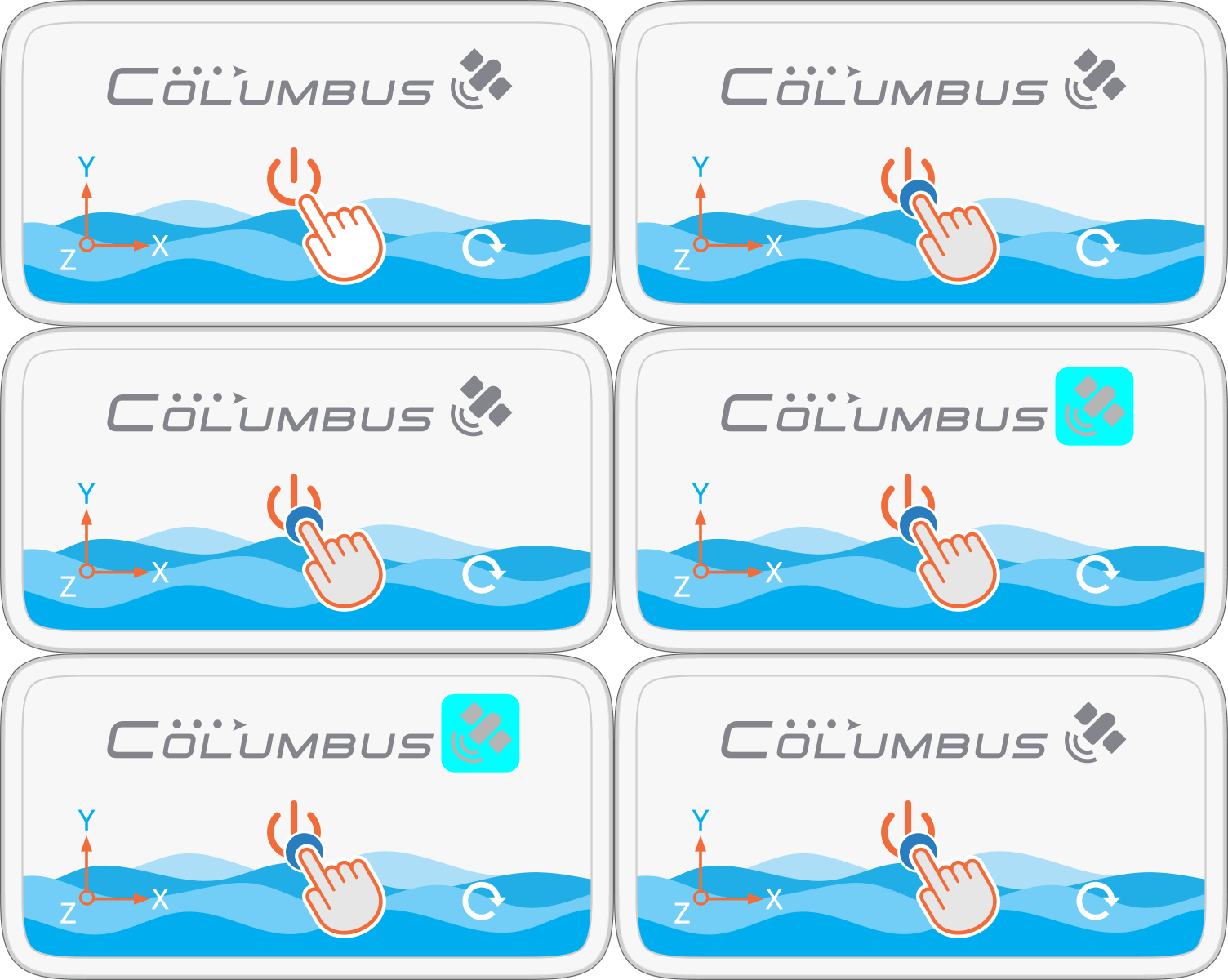
3. Press and hold the Power Button to turn on the device.
When the Status Indicator flashes cyan three times, the configuration
has been successfully applied. |
 |
|
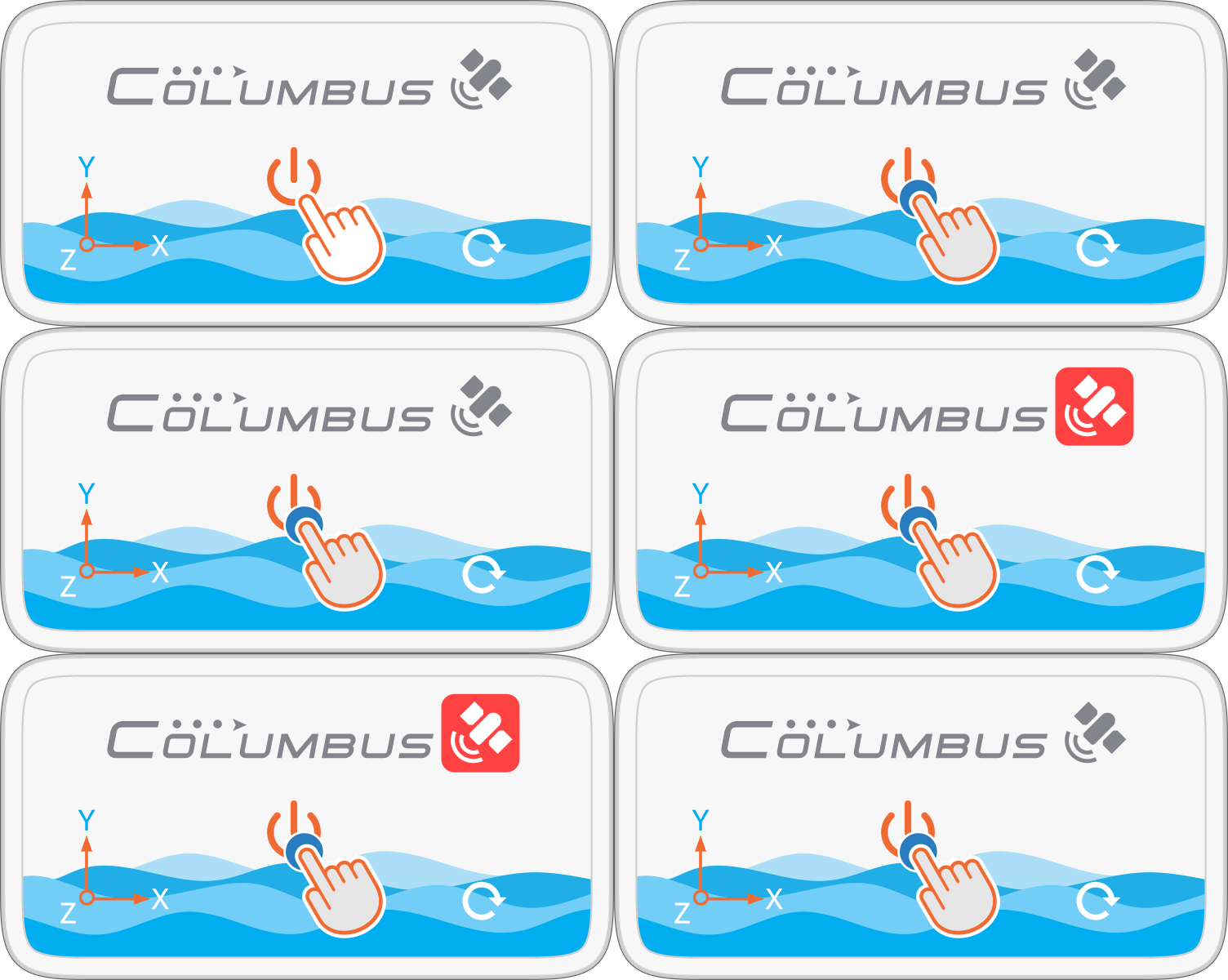
Note:
If the Status Indicator flashes red three times, the
configuration file contains an error. Check and edit the
configuration file again. |
 |
|
* For details on manually editing the configuration file,
see the next chapter: Edit Configuration |
|
|
|
